
Your workspace shapes your mental state far more than most people realize. The colors you see, the movement in your peripheral vision, the brightness of your screen, and even the visual density of your digital tools all influence how calm or tense you feel. In a world where work happens almost entirely through screens, creating a visually soothing environment is no longer a luxury — it’s a necessity.
Soft visual tools offer a simple, effective way to reduce tension and create a workspace that supports clarity, focus, and emotional balance. These tools use gentle colors, slow movement, and minimal visual noise to help your nervous system settle. They’re subtle, but their impact can be profound, especially when used consistently throughout your day.
This guide explores what soft visual tools are, why they work, and how to use them to create a calming workspace that helps you think more clearly and feel more grounded.
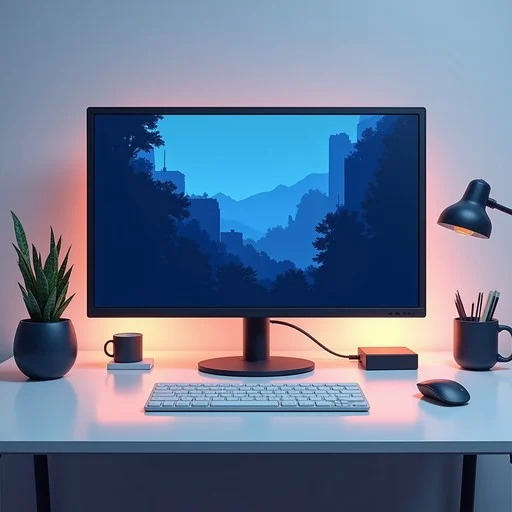
Why Your Workspace Affects Your Nervous System
Your brain is constantly processing visual information — even when you’re not consciously paying attention. Bright screens, cluttered interfaces, fast animations, and high‑contrast visuals all increase cognitive load. Over time, this leads to:
- Mental fatigue
- Restlessness
- Reduced patience
- Difficulty focusing
- A subtle sense of internal pressure
Soft visual tools counteract this by reducing the intensity of your visual environment. They help your nervous system shift from activation to regulation — a calmer, more focused state. This is similar to the soothing effects described in slow‑motion digital interactions, which use gentle movement to help you unwind.
What Soft Visual Tools Actually Are
Soft visual tools are digital elements designed to create a calming sensory experience. They typically involve:
- Muted color palettes — pastels, neutrals, soft gradients
- Slow, predictable movement — gentle animations that don’t demand attention
- Minimal visual clutter — clean layouts with plenty of breathing room
- Low contrast — visuals that are easy on the eyes
- Simple shapes — circles, waves, lines, or soft geometric forms
These tools don’t distract you. They support you — quietly, consistently, and without effort.
The Science Behind Soft Visual Tools
Your nervous system responds to visual input the same way it responds to any sensory environment. Fast, bright, or unpredictable visuals activate your stress response. Soft, slow, and predictable visuals help your body shift into a calmer state.
Soft visual tools reduce tension by:
1. Lowering sensory intensity
Muted colors and gentle gradients reduce the amount of visual information your brain must process.
2. Encouraging soft focus
Soft visuals allow your eyes to relax, reducing strain and fatigue.
3. Creating a sense of spaciousness
Minimalist layouts give your mind room to breathe, reducing cognitive load.
4. Supporting emotional regulation
Calming visuals help your nervous system shift out of activation mode.
Types of Soft Visual Tools That Create a Calming Workspace
Below are the most effective categories of soft visual tools for reducing tension and supporting focus.
1. Soft gradient backgrounds
These backgrounds use gentle color transitions to create a soothing visual foundation.
- Best for: visual fatigue
- Why they work: gradients soften the harshness of solid colors
2. Minimalist wallpapers
These wallpapers use simple shapes, muted tones, and plenty of negative space.
- Best for: cognitive overload
- Why they work: they reduce visual noise
3. Slow‑motion ambient visuals
These tools feature gentle animations — drifting shapes, flowing lines, or slow waves.
- Best for: emotional tension
- Why they work: slow movement helps regulate your nervous system
4. Soft color‑based widgets
These include calming timers, breathing guides, or focus widgets with muted palettes.
- Best for: transitions between tasks
- Why they work: they create grounding moments throughout your day
How Soft Visual Tools Improve Your Workday
Soft visual tools don’t just make your workspace look nicer — they change how your mind feels while you work.
1. They reduce background tension
Harsh visuals create low‑level stress. Soft visuals help your nervous system settle.
2. They support sustained focus
When your visual environment is calm, your mind can stay focused for longer.
3. They reduce emotional reactivity
Calming visuals help you stay grounded during stressful moments.
4. They make transitions smoother
Soft visuals help you shift between tasks without carrying tension forward. This is similar to the transition benefits described in calm break strategies.
How to Integrate Soft Visual Tools Into Your Workspace
Here’s how to create a calming digital environment using soft visual tools.
1. Start with your background
Choose a soft gradient or minimalist wallpaper. Avoid bright colors or busy patterns.
2. Reduce visual clutter
Hide unused apps, close extra tabs, and simplify your desktop layout.
3. Use soft‑motion ambient visuals sparingly
Keep them in your peripheral vision, not your main workspace.
4. Add calming widgets
Use soft color‑based timers, breathing guides, or focus tools to support your rhythm.
5. Adjust your screen brightness
Lower brightness reduces sensory strain and helps your eyes relax.
When to Use Soft Visual Tools
Soft visual tools are especially helpful during:
- Morning startup
- Midday resets
- Transitions between tasks
- After long meetings
- Evening wind‑down
These moments are when your nervous system is most sensitive to visual input.
How to Avoid Overusing Soft Visual Tools
Even calming visuals can become distracting if overused. Here’s how to keep them supportive:
- Keep animations slow and subtle.
- Use soft visuals in the background, not the foreground.
- Choose tools that blend into your workspace.
- Keep sessions short if using interactive visuals.
Conclusion: A Calmer Workspace Starts With What You See
Soft visual tools offer a simple, sustainable way to create a calming workspace. By choosing gentle colors, slow movement, and minimal visual noise, you help your nervous system settle, reduce tension, and support deeper focus.
In a world filled with digital intensity, these small visual adjustments can make a meaningful difference in how you think, feel, and work throughout the day.